 Support on Ko-fi




Clash of Clans upgrade tracker and planner
See every builder, lab and pet timer in one place. ClashClock then plans your next upgrades around the hours you sleep and work, so your builders keep going while you’re away.
Always free · No account needed · Phone and desktop
 Town Hall 17
 Hero Hall 10
 Hidden Tesla 15
 X-Bow 11
 Wizard Tower 16Idle
 Cannon 21
 Archer Tower 20
 Mortar 16
 Dragon 11
Find what you need
Help keep ClashClock running
ClashClock is built and run by one person. Support on Ko-fi pays for the hosting, the database and the reminders it sends.
Questions the planner answers
Each number comes from the game data or a run of ClashClock’s planner. The page behind it shows how.
- How long does it take to max Town Hall 18?About 1,817 builder days from a maxed TH17
- How long does it take to max each Town Hall?Town Hall 18 from nothing: 6,347 builder days
- What does sleeping cost your builders?About 10 seconds an hour per builder, with the right order
- What does the 6th builder (B.O.B.) really cost?254 days with one builder, 133 with two
- Rush or Max: which gets you there sooner?Rush: next hall in 9 to 16 days, Max in about 100 to 300
- How many days does the Gold Pass really save?About 5.5 days per season held
- What does maxing every hero and its gear cost?1,789 builder days and 1,845,260 ore
What you can do with it
Three things people open ClashClock for. Each links to the chapter of the user guide that covers it.
Every timer in one place
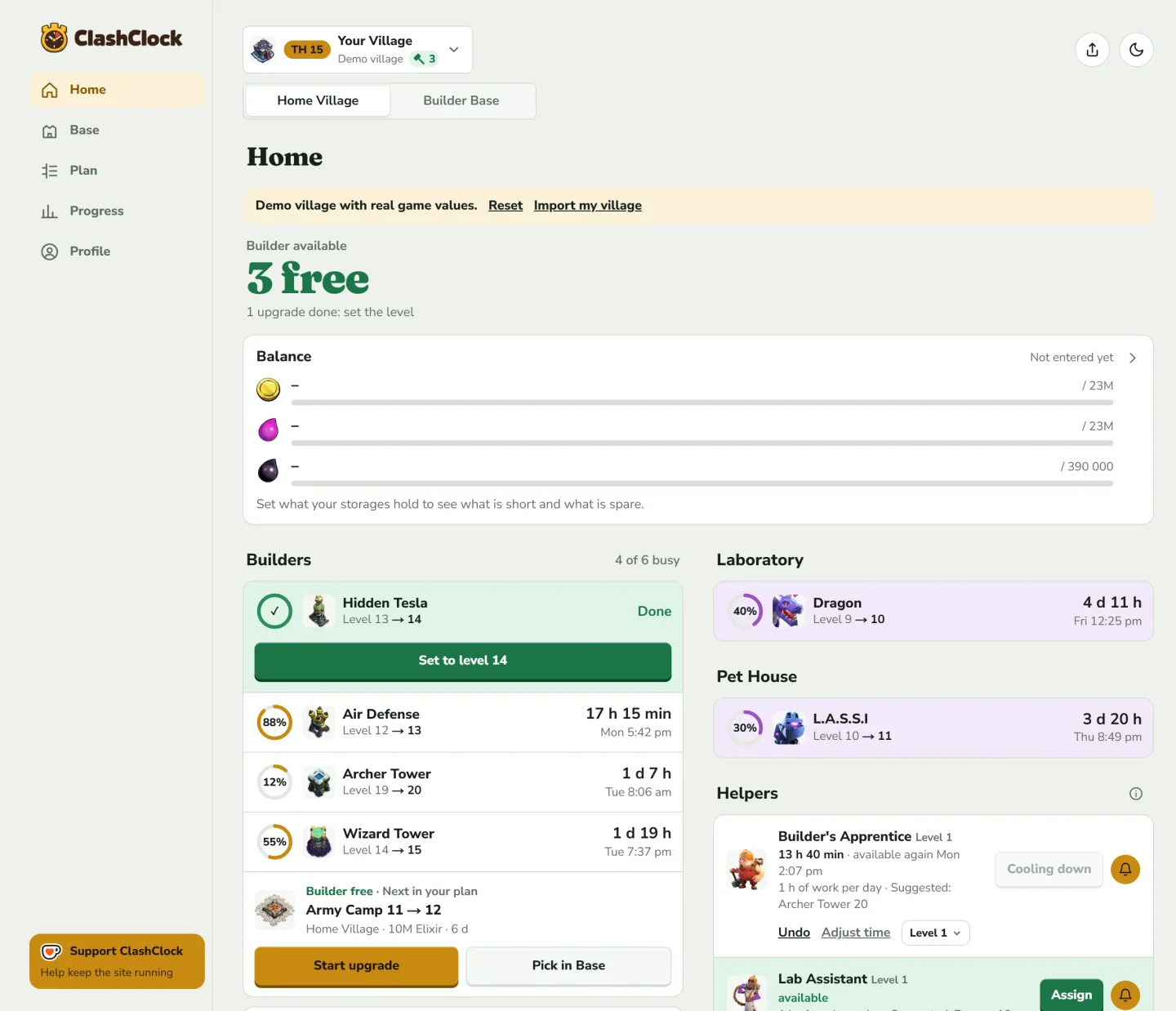
Home shows your next free builder as one big number, and a card for every running upgrade with its level, progress and finish time.
- Builders, the lab and the Pet House each get their own lane
- Reminders when an upgrade finishes, even with the app closed
- Home Village and Builder Base side by side
Plan around the hours you sleep and work
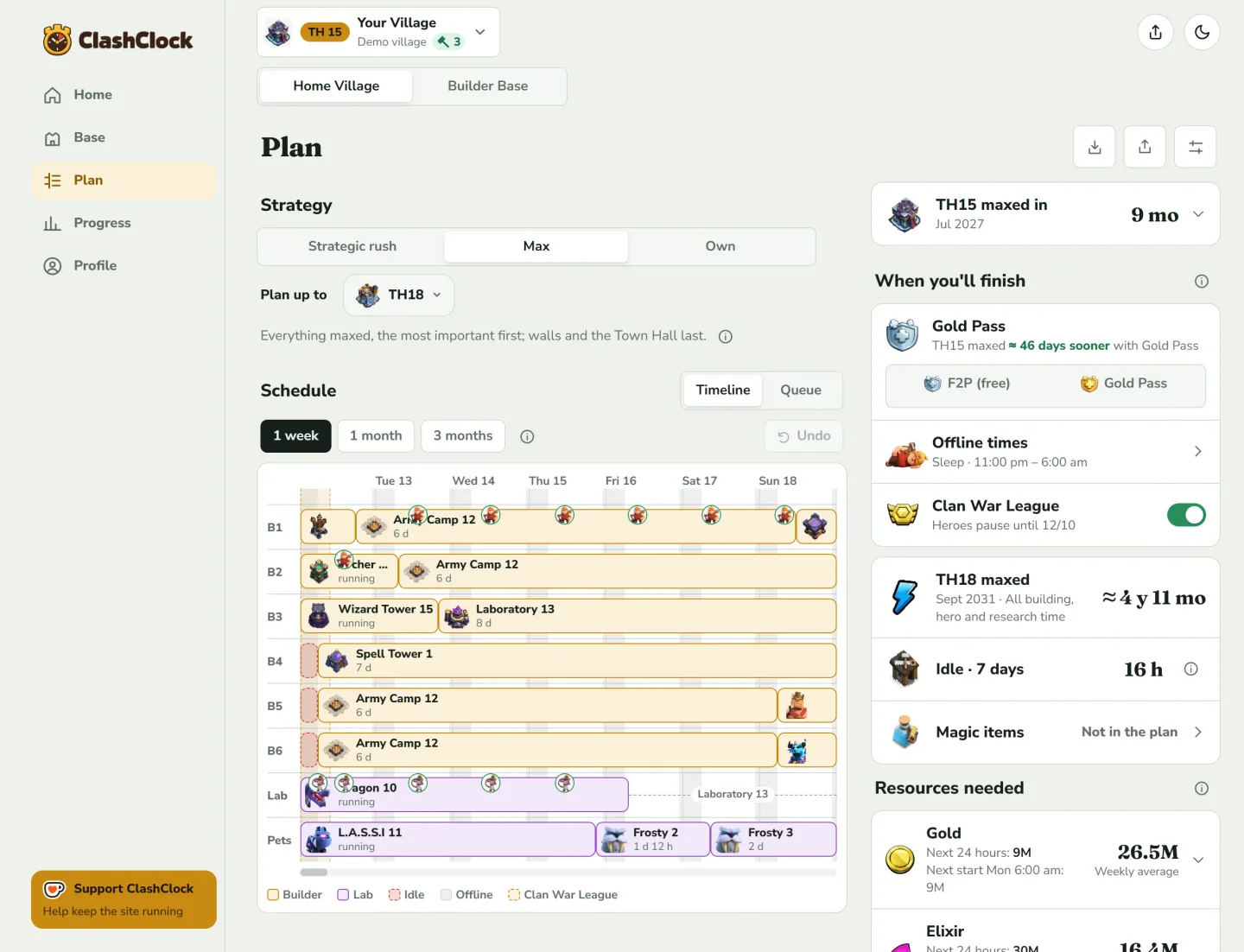
Add your offline hours once. The planner fills every builder’s lane so upgrades finish while you’re awake, and shows idle time in red where it can’t be avoided.
- Strategic rush, Max, or your own order
- Gold Pass boosts and potions are counted in every duration
- Drag, pin or remove any step; the plan adapts
See how far you are from maxed
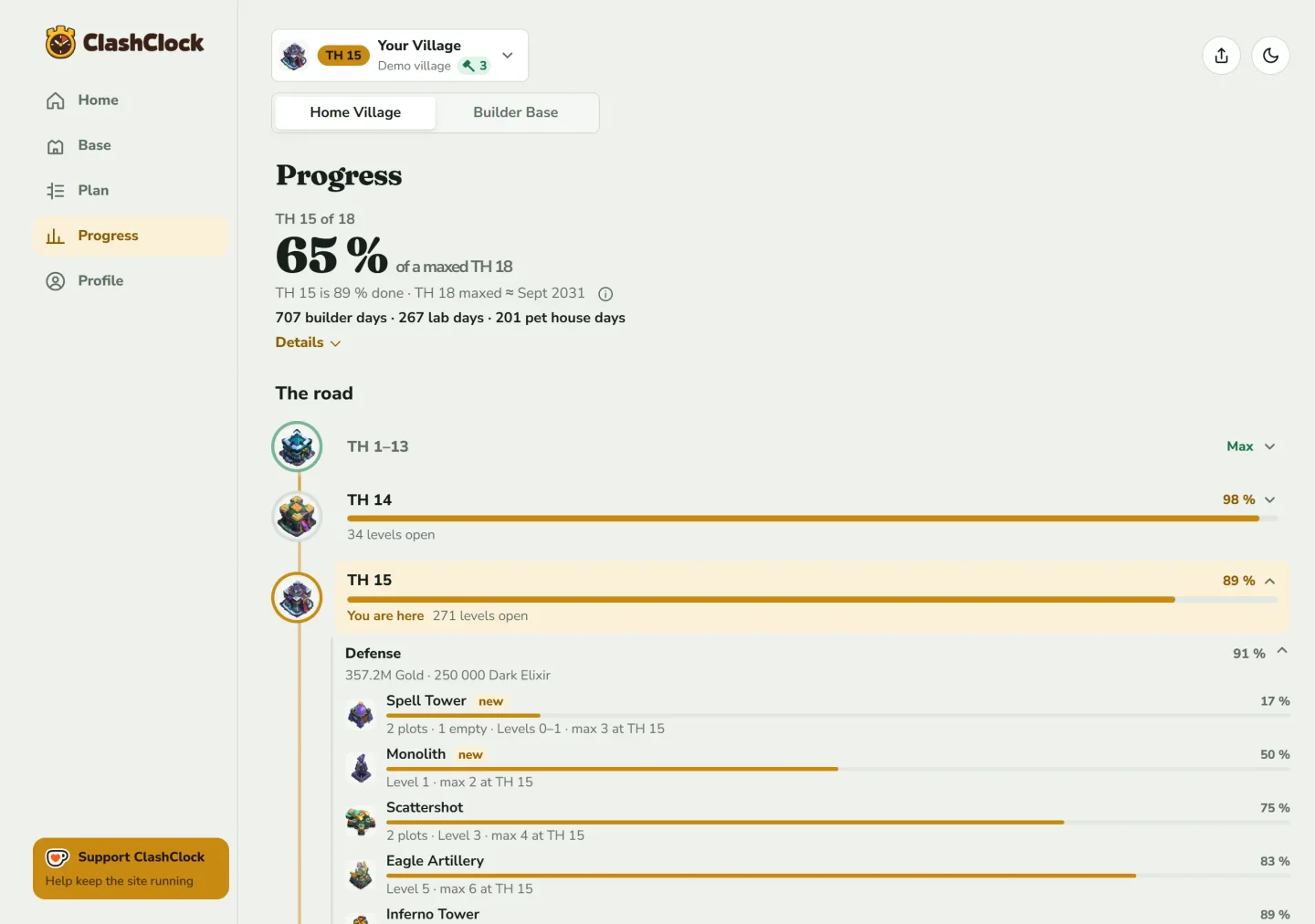
Progress shows how much of a maxed village you already have, hall by hall, and how many builder, lab and pet days are left.
- Every Town Hall on one road, with what each one unlocks
- Hero Equipment counted per hero
- Cost per resource for everything that is left
Start in about a minute
The in-game export has every level and running timer. That is all the planner needs.
Copy your export
In the game: Settings → More Settings → Export Village Data.
Add your village
Paste it, check the preview, save. No account needed.
Set your offline hours
Enter when you sleep and work, and the plan works around those hours.
Common questions
What is ClashClock?+
A free Clash of Clans upgrade tracker and planner. It keeps every builder, lab and pet timer in one place and schedules your next upgrades around the hours you're offline.
How do I plan my Clash of Clans upgrades?+
Import your village into ClashClock and pick a strategy: Strategic rush to the next Town Hall, Max, or your own order. The planner fills every builder, the lab and the Pet House around the hours you're offline, counts Gold Pass boosts and potions, and shows when your next Town Hall is ready. The Plan tab chapter walks through it.
What should I upgrade first at my Town Hall?+
Each Town Hall page lists what to upgrade first, the longest waits and how long maxing takes, worked out with ClashClock's planner from the game data. In the app, the plan does the same for your own village.
Is it really free?+
Yes. ClashClock is always free, and you don't need an account.
Do I need an account?+
No. Import your village and use it in your browser. An account is optional: it syncs your villages between devices and keeps heroes, lab, pets and equipment current from the game API.
How do I get my village in?+
In the game, open Settings → More Settings → Export Village Data and copy it, then paste it into ClashClock. It takes about a minute, and the user guide shows every step.
Where do the numbers come from?+
From Supercell's own game files, checked against two outside datasets. After a game update a new level or building can be missing until I add it by hand. How ClashClock works shows what is overridden.
Does it update automatically?+
Partly. The export is a snapshot, so import it again after you play or fix entries by hand. With an account, heroes, lab, pets, equipment and hall levels also refresh from the game API.
Is it made by Supercell?+
No. ClashClock is an independent fan project with no affiliation to Supercell.
Plan your next upgrade
Import your village and see your plan in about a minute. Install it on your home screen and it opens straight to your builders.