 Support on Ko-fi




When a timer looks wrong
ClashClock rebuilds your timers from an export and from what you tell it, so it can drift from the game by a few minutes, or by hours after a forgotten potion. This chapter shows how to find the cause and put the timer right.
On this page
Why the two can differ
The game is the reference. ClashClock never talks to it while you play. It starts from the export, a snapshot, and from then on follows the clock and whatever you log. Anything that changes a timer in the game and that ClashClock was not told about is invisible to it. The usual suspects:
- a potion, snack, helper, Clock Tower boost or magic item used in the game after the export, or a finish with gems;
- a Builder Boost or Research Boost percentage from your Gold Pass that differs from what ClashClock assumes;
- a boost tied to your account that ClashClock has no way to read, such as a returning-player boost;
- an export copied while a boost was running;
- rounding: the game rounds a boosted time down to 10 minutes (up to a day) or to the hour (longer). ClashClock copies that rule, so only edge cases differ, and then by minutes.
Closing the app or locking the phone changes nothing. ClashClock stores the finish time of every upgrade, not a counter that has to keep running.
Check in this order
Did the upgrade already end in the game?
A book or gems finish an upgrade at once, and ClashClock keeps counting. Tap the row, then Already done (book/gems). If it is the other way round and ClashClock says Done while the game still counts, look at your device's clock: every countdown is the stored finish time minus that clock, so a wrong clock moves all timers by the same amount. A finish time that is off by whole hours points to the time zone under Profile → Settings → Time zone. It changes how clock times are written and where your offline hours fall in the plan; it never changes a countdown.
Did you use a potion or a snack?
Log it. Open Potions & snacks at the foot of Home, tap the item, set How many and when it Started (Just now, 15 min ago or 30 min ago), and tap Used ×n in the game. The finish time of every upgrade it touches moves.
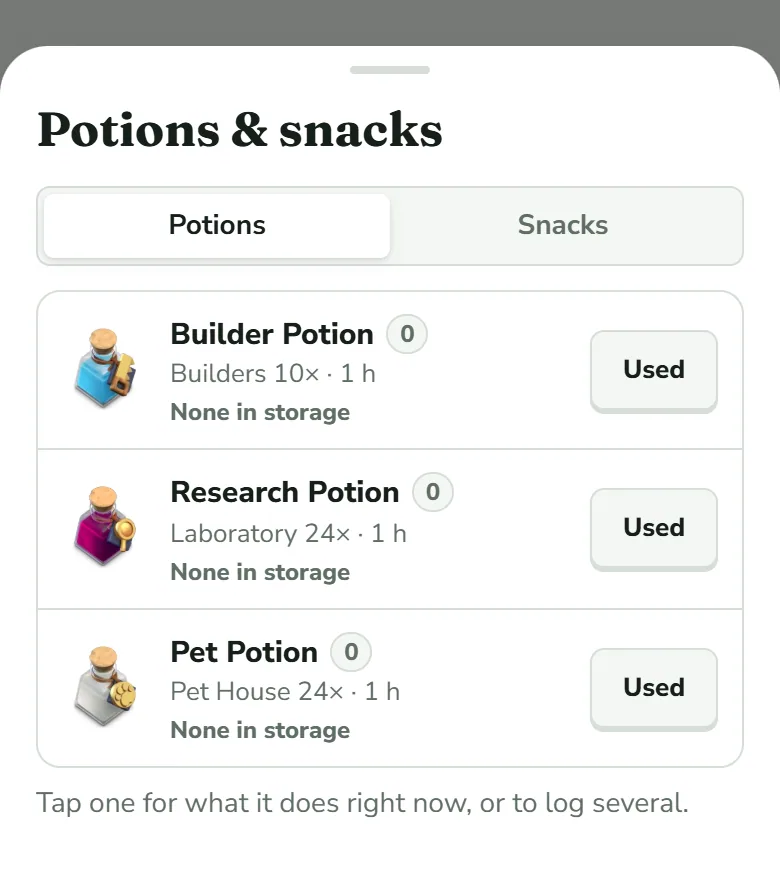
Tap a potion's name to log several at once or to say when you started it; Used logs one right now. Did you use a helper or the Clock Tower?
Log it too. Under Helpers on Home, tap Assign on the Builder's Apprentice or the Lab Assistant. If only one running upgrade can take the helper, as is usual for the Lab Assistant, it goes on at once. Otherwise a sheet lists the running upgrades. Tap the one the helper worked on in the game, which may not be the one tagged suggested: ClashClock takes the helper's time off that timer only. Only set the timer (no assignment) just starts the cooldown. For the Clock Tower, tap Boost started. Both move the finish time of the upgrades they touch. Home and Base shows the helper sheet. If you cannot work out what happened, skip to the next section.
Is your Gold Pass answer right?
Open the Plan tab and its Forecast view. The Gold Pass row has a switch between F2P (free) and Gold Pass; choose the side that matches your game. Once you have answered, a Settings link appears under the row.
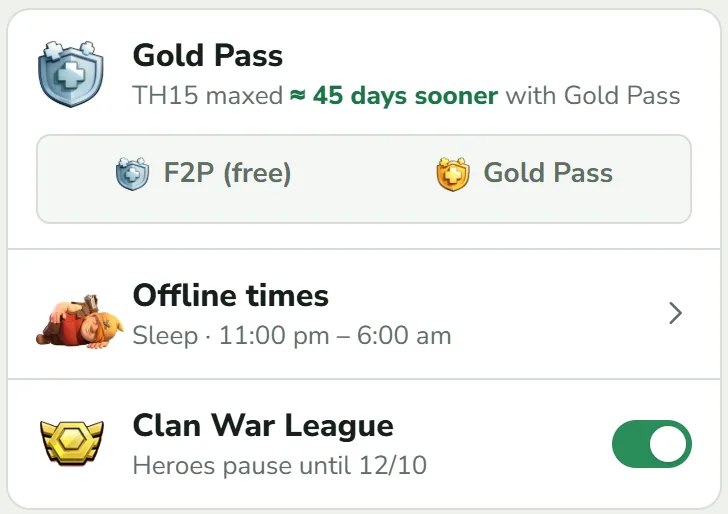
The Gold Pass row on the Forecast view. Neither side is lit here because this village has not answered yet; once you choose, a Settings link appears under the row. Do the Gold Pass percentages match your game?
With the pass on, tap Settings under the row. ClashClock cannot read your season points, so it assumes a normal pace (10 % within a day, 15 % about a week in, 20 % about two weeks in) until you turn Normal pace off. Then pick the Builder Boost and Research Boost your game shows: 0 %, 10 %, 15 % or 20 %. The lines below the switches say when the next levels arrive on their own. The percentage is applied when an upgrade starts, so a timer that already runs keeps the time it started with.
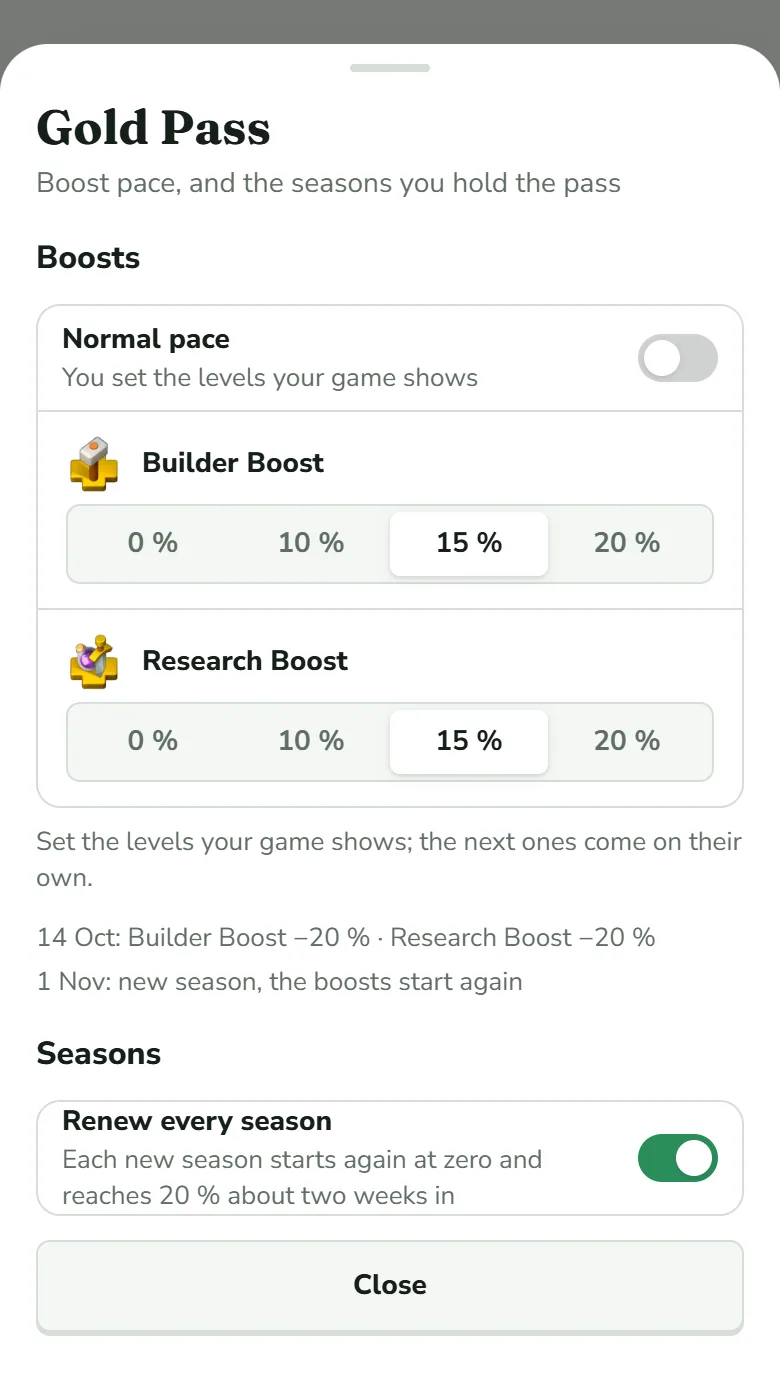
With Normal pace off, each boost has its own row of percentages. Renew every season makes ClashClock assume you keep the pass, with the boosts starting again at zero in each new season. Is there a boost ClashClock cannot know?
A returning-player boost, a login bonus or an event changes times for your account only. You can add the Re-Engagement Boost (as players report it: half the time and cost for 14 days, Home Village only) from the Plan tab's first-visit card or under Plan setup. The sheet asks how to enter it: Started with the day you got it, or Time left with the days and hours your game shows. Login bonuses are not modelled; correct those timers by hand.
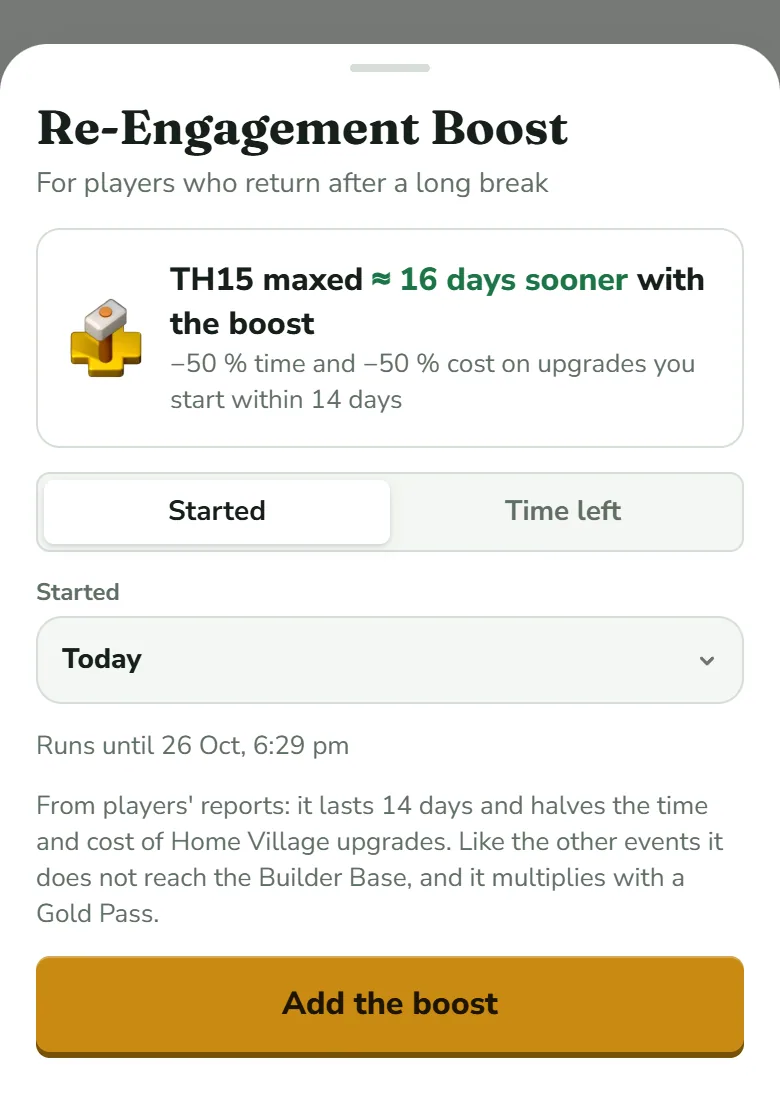
Choose Started and the day, or Time left and what the game shows. Add the boost puts it in the plan. Once it is added, the same sheet offers Remove the boost. Was the export taken during a boost?
ClashClock does not read the boosts in an export, and the raw timer under a boost is ambiguous, so a timer imported then can be off. Wait until the boost has ended, copy a fresh export and import again.
Fix one timer: Adjust remaining time
Use this when one upgrade shows another time than your game and you want it right now.
Open the upgrade
Tap its row on Home, or open the building's group on the Base tab and tap the copy that is running.
Tap Adjust remaining time
It is the link under Already done (book/gems) and Cancel. A line asks for the “Remaining time as shown in the game”, with boxes for d, h and min.
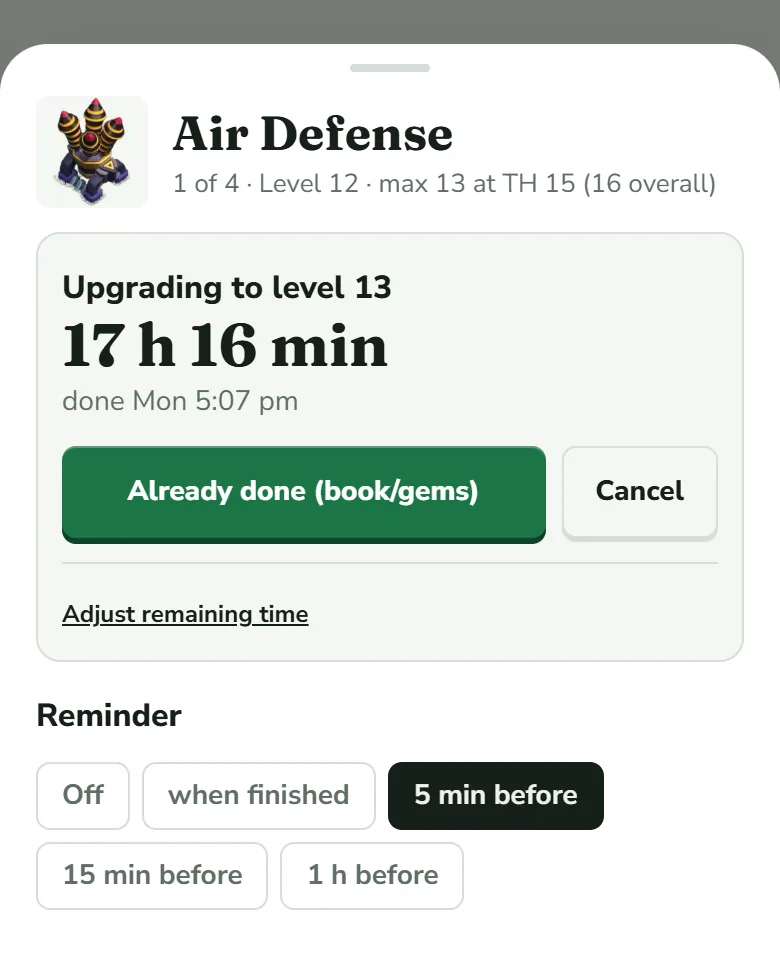
The link sits inside the box with the countdown. Type what the game shows and tap Apply
Use the time the game shows right now, boosts included. The boxes open with the time ClashClock holds, so overtype what differs. A message confirms (“Air Defense: remaining time set to 23 h”) and the sheet adds “set manually” to the finish time. That note also shows on upgrades you started in ClashClock, so it does not mean you adjusted this one.
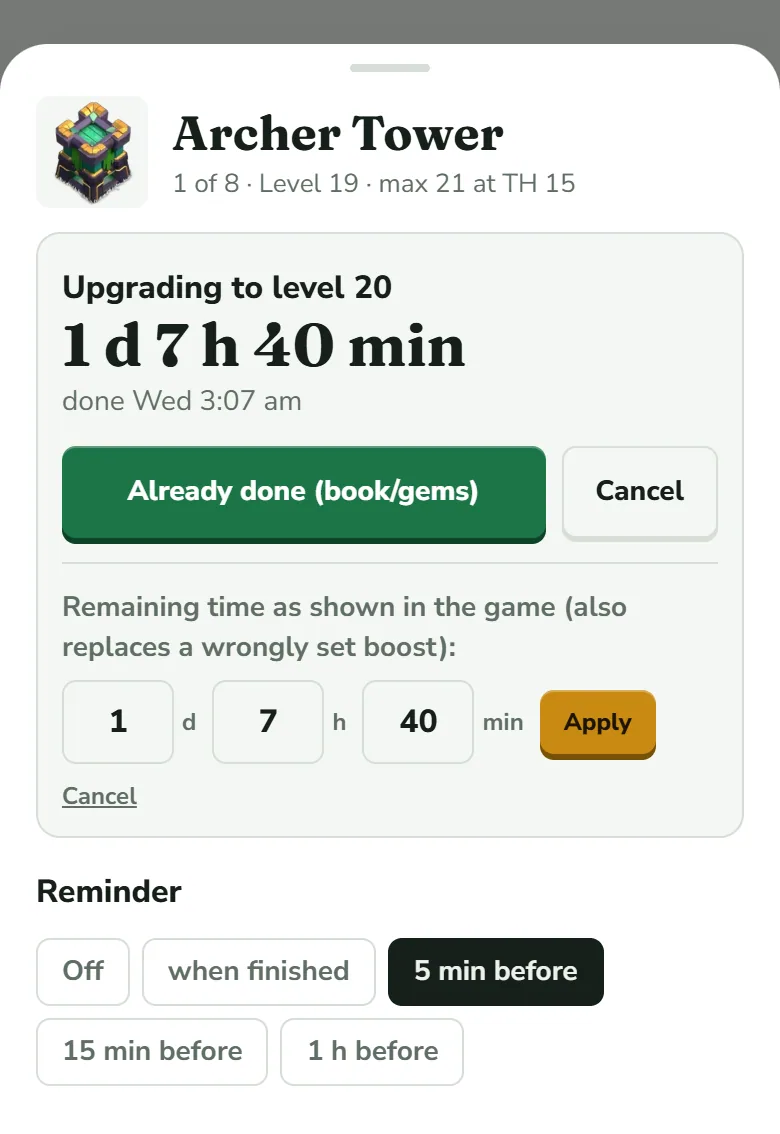
Overtype d, h and min, then tap Apply. Take care with the two Cancels: the underlined link under the boxes only closes the form, while the grey Cancel button beside Already done (book/gems) removes the running upgrade from ClashClock.
ClashClock sets the finish to now plus what you typed. It removes the helper boost and the potion marks it had recorded on this upgrade, which is what “also replaces a wrongly set boost” means. A potion you logged that is still running keeps speeding up the typed time, as it does in the game. The progress ring can lengthen but never shrinks, so a correction does not throw it back to 0 %. Reminders follow the new finish time.
Fix the rest
- A level is wrong. On the Base tab, tap the building and use − or + under Set level. “Changes are kept until the next export.”
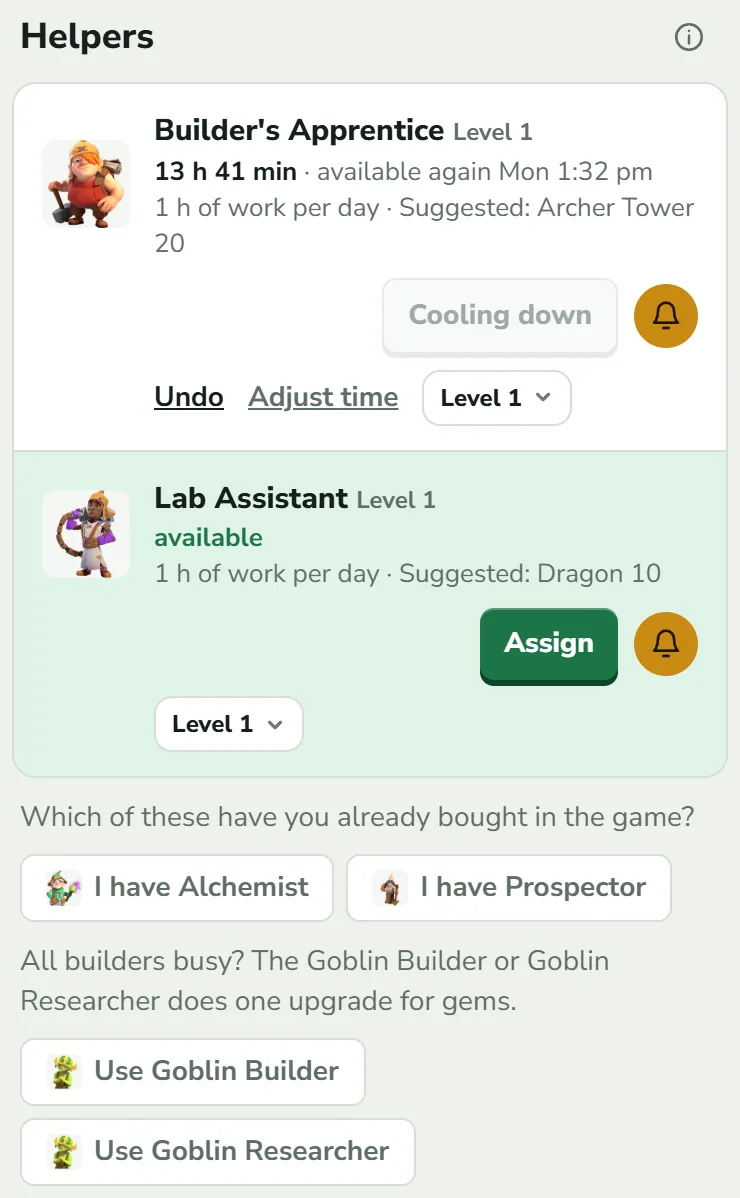
- A helper was used by mistake, or its cooldown is wrong. On its card, Undo takes the use back and Adjust time sets the “available again in” time. The Clock Tower card has both.
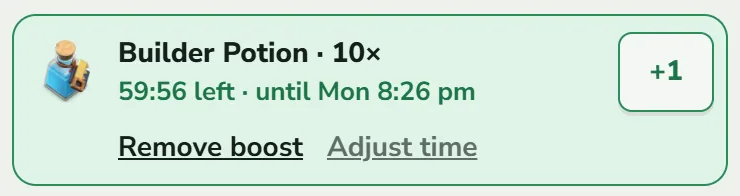
- A potion or snack was logged twice or wrongly. In the green row under the headline, Remove boost deletes it and returns the potions to storage; Adjust time sets how much longer it runs. +1 on the same row adds one more potion of that kind.
- Several things are off at once. Import again: Update village, Check, Apply. The export replaces levels and running timers with the game's.
Importing again is also the way to learn how far off you were. In Changes compared to the saved state, timer changed means the game's finish time differed from ClashClock's by more than five minutes. A hand-set timer that the export does not know is dropped and reported as timer dropped. After boosts have ended, a fresh export is the reliable reset (Import your village).
What ClashClock cannot know
- Your season points. It assumes a pace unless you enter your percentages.
- Account-specific boosts. The Re-Engagement Boost can be added by hand; login bonuses cannot. Events such as the Hammer Jam only count when you enter them.
- A Clock Tower boost already running is not added to an upgrade you start while it runs. Adjust that timer.
- A game update. Until the app's data catches up, a new level can be missing and a changed cost can still show its old value.
The full list, with how each number is produced, is in How ClashClock works.
Report a wrong number
If a number is wrong and none of the above explains it, use the contact form on Support and choose Wrong timer. Say which screen, what the game shows and what ClashClock shows. For a timer, add the upgrade's name, its current and next level, which village, and every boost that was active: the Gold Pass percentages, a potion, a helper, the Clock Tower, a returning-player bonus. The form has fields for the upgrade, the village and the Gold Pass, the Builder and Research Potions and snacks; write the rest in the message. Mention when you last imported (the Update village row says “as of” a date). A screenshot of both timers helps, but the form cannot attach files: describe what each one says, and I will ask for a picture in my reply if I need one.
Never send a password, and do not send the API token that the game shows under API Token in More Settings: ClashClock never needs either.
Timer back in line? Go back to your village.
Open the trackerTry it on your own village
Paste your village export and everything in this guide works on your own builders, timers and plan. It is free, needs no account and runs in the browser.
Useful? Help keep ClashClock running.
ClashClock is built and run by one person. Support on Ko-fi pays for the hosting, the database and the reminders it sends.