 Support on Ko-fi




Progress: how far to max
Progress tells you how much of a fully maxed village you already have and how much work is left. After this chapter you can read the big percentage and the day counts, walk the Town Hall road, and price hero equipment with the ore calculator.
On this page
What the Progress tab answers
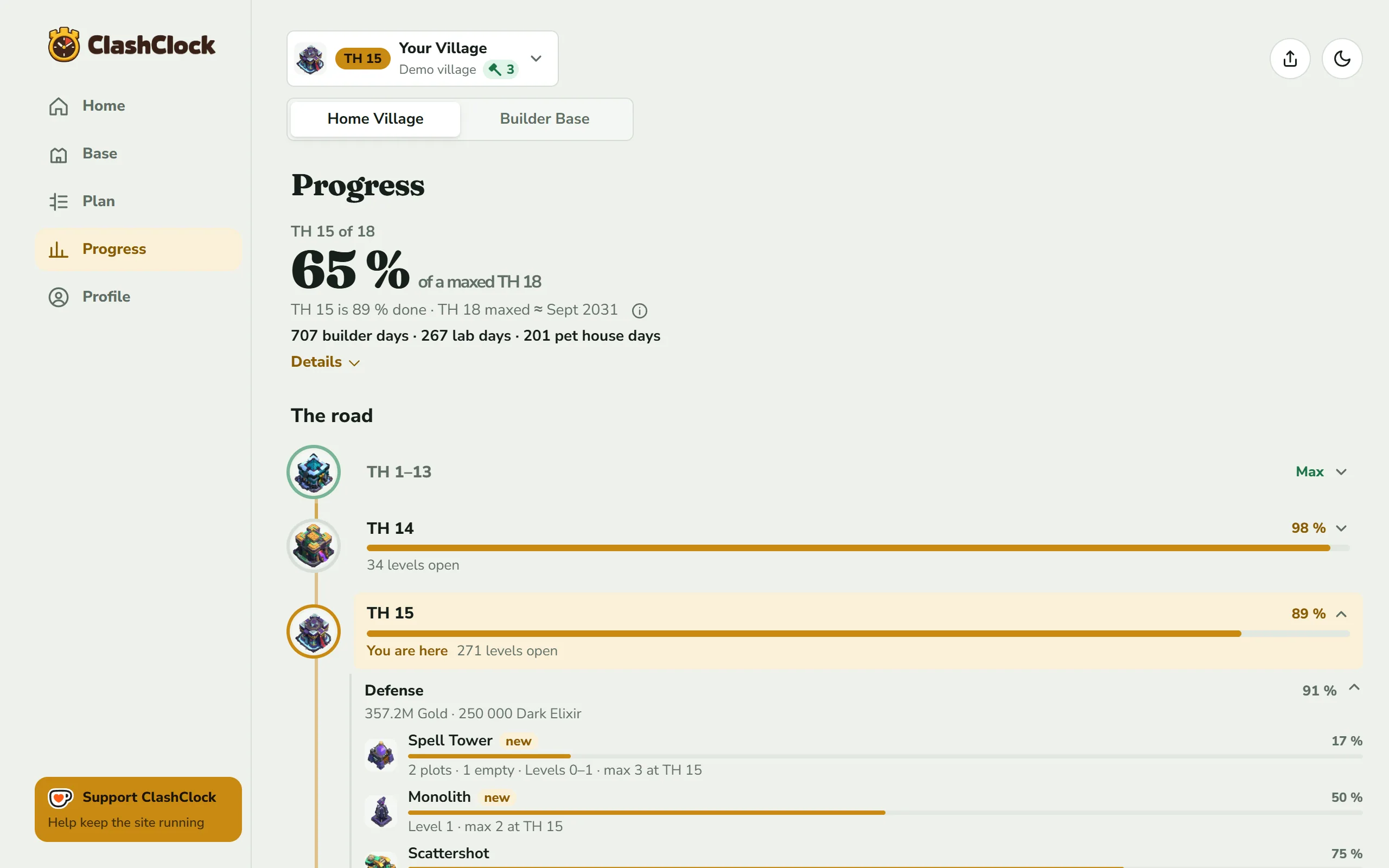
Base lists the buildings of the hall you are playing. Progress asks a bigger question: how far is this village from fully maxed, and how much work stands in between? It measures every hall from the first to the newest, so a village that rushed through its halls shows what it left behind. The tab follows the Home Village | Builder Base switch in the header. Hero equipment and the ore calculator exist only for the Home Village.
The headline
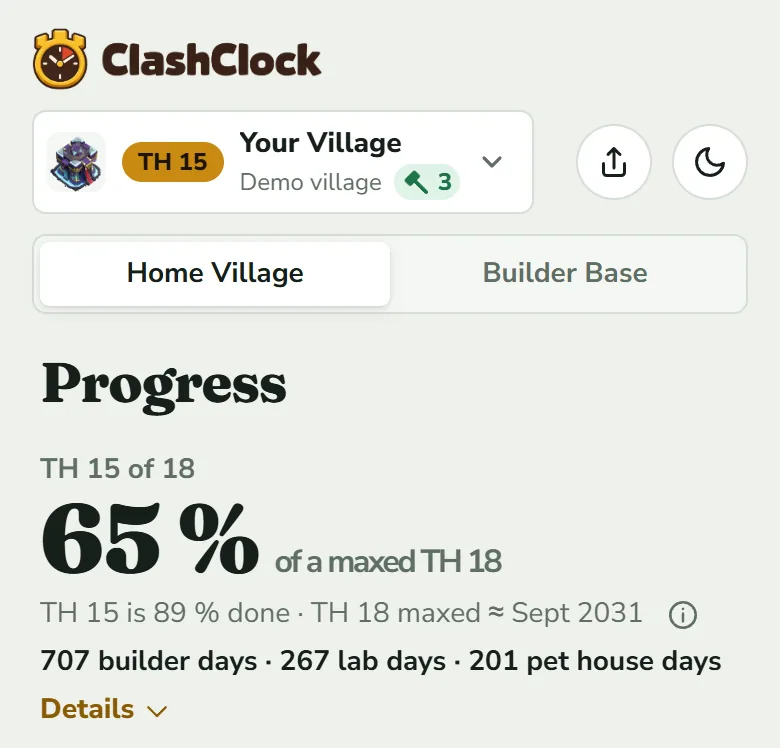
- TH 15 of 18 is the hall your village stands at and the newest hall the game has (TH 18 at the time of writing). The Builder Base reads the same way with BH.
- 65 % of a maxed TH 18 is the big number: every level your village has, against every level the newest hall allows. A building you have not placed yet counts as level 0, so a village that is far from the top halls reads low however well it is built.
- TH 15 is 89 % done is the same measure for your own hall alone. It is also the number on Base (“89 % of a maxed TH 15”) and on your village in Profile, so the three never disagree.
- TH 18 maxed ≈ a month and a year is the planner's date for everything maxed up to the newest hall, one hall after the other, on the Max plan, whichever strategy you picked. The (i) beside it lists what it counts: your builders, offline times, Gold Pass, helpers, potions, and the events and magic items you set up in the Plan tab. Hero equipment and the time you spend collecting resources are left out. The date appears once the planner can place every upgrade to the end.
Builder days, lab days and calendar time
The bold line under the headline adds up the work left in your current hall, in the game's own upgrade times: 707 builder days · 267 lab days · 201 pet house days. A builder day is one builder busy for one day. Buildings, traps and heroes use builder days. Research is lab days, and pets have their own pet house days. A line with nothing left in it is not shown.
These are amounts of work, not dates. With several builders working side by side, 707 builder days take far fewer calendar days. Divide by your builders and you get the best case, not a forecast: the levels of one building run one after another, and a hero cannot be in two builders' hands at once. The Laboratory has no second worker beside it. It does one upgrade at a time, so 267 lab days is the least the lab can take before boosts and helpers, and that is why the lab usually decides when you are done. Adding up the game's upgrade times for a village built from nothing, with five builders the lab's lane is 1.55 times as long as the builders' at Town Hall 10, 1.71 times at Town Hall 14 and 1.96 times at Town Hall 18 (how long it takes to max each Town Hall).
Tap Details to unfold up to two blocks. When the planner has a maxed date, the first block is titled with it and gives one line per area: Buildings, Heroes and Lab & Pets. Each shows the month its last upgrade is done on the Max plan, or Max when nothing is left. Buildings and heroes share your builders; the lab and the pet house work on their own. In the demo village Lab & Pets is the latest of the three. The block Work left in TH 15 is the day count above split by the same areas, with or without a date. Under it a note says what is not counted: Gold Pass, magic items, helpers and events, and that builders work side by side.
The road: every Town Hall
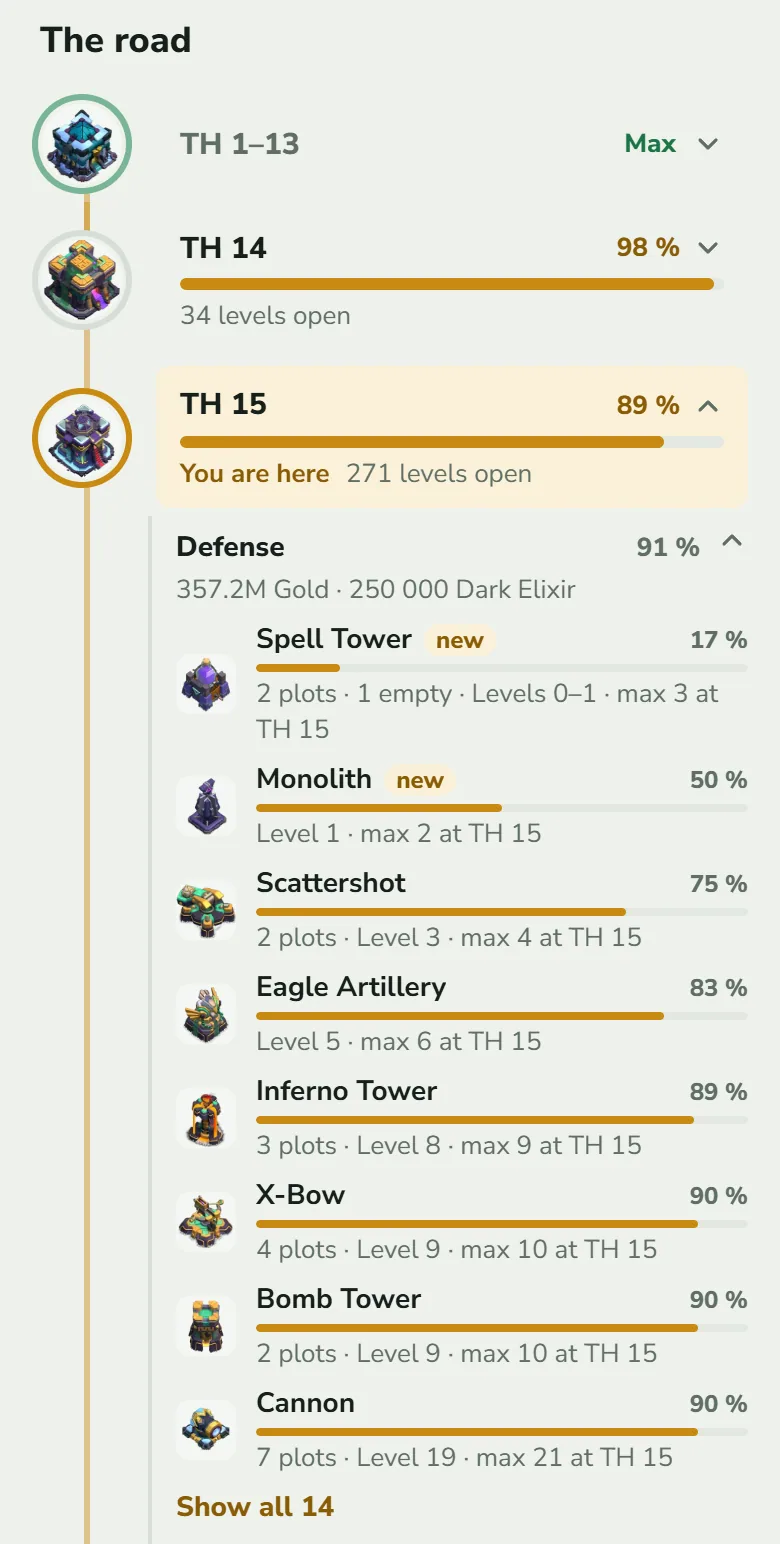
The road has one stop per hall. Each stop shows the hall's picture, a bar, and its percentage, or Max when everything of that hall is done. Your own hall is tinted and marked You are here. A hall below yours is not automatically finished: a village that rushed carries leftovers along, and this is where they become visible (TH 14 is at 98 % with 34 levels open). A level above a hall's ceiling counts as full for that hall, so only real gaps show. Three or more finished halls in a row fold into one line such as TH 1–13 Max, and a tap unfolds it.
Tap a hall to open what it consists of. The categories follow the Base tab: Defense, Resources, Army, Heroes, Equipment, Lab, Traps and Walls, each with its own percentage and, while open, the cost still to pay (“357.2M Gold · 250 000 Dark Elixir”). A finished category is one line. In an open one the least finished entries come first: the first eight show, and Show all 14 unfolds the rest. A row reads like this:
- Spell Tower new, 17 %: the hall adds this building. The new tag marks what the hall adds over the one before.
- 2 plots · 1 empty · Levels 0–1 · max 3 at TH 15: the hall allows two, one is not built yet, the built one stands at level 1, and level 3 is the ceiling at TH 15. A single building drops the plot count and reads “Level 1 · max 2 at TH 15”.
- A Supercharge tier is not a level number here, as in the game: the building keeps its regular level and a bolt stands beside it for each tier done.
The halls ahead
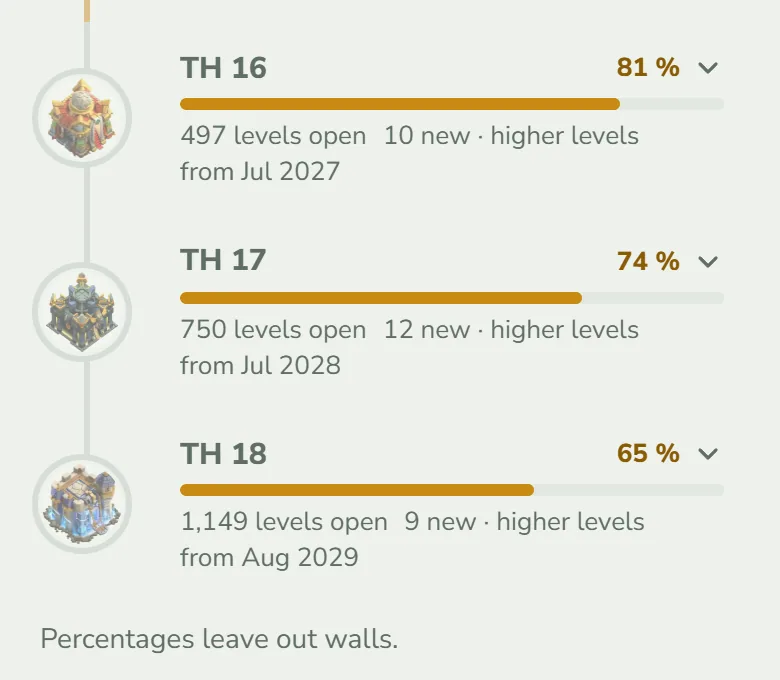
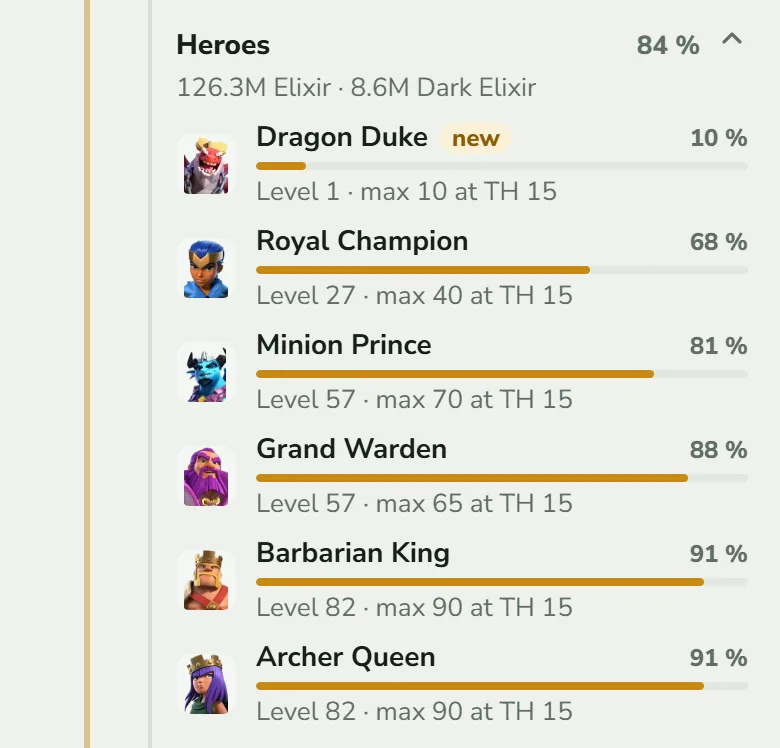
A hall you have not reached shows how much of it your village already stands at, how many levels are open, N new for the plots and units it adds (buildings, traps, troops, spells, siege machines, pets and heroes) and higher levels where it raises ceilings. The line from a month and a year is the date the plan reaches that hall. It comes from the strategy you have chosen: Rush puts the Town Hall first, Max puts it last in every hall, so the same hall is months apart. A hall beyond the end of the plan shows no date. Open the hall to see what it will ask for.
What the percentage counts, and what it does not
Every percentage on this tab is levels, not time or cost. A hero level counts as much as a Cannon level, which is why the number moves slowly while heroes eat weeks of builder time. Use the day counts for time.
- Counted: buildings (every plot a hall allows, unbuilt ones as level 0), traps, heroes, troops, spells, siege machines, pets, the Town Hall's Guardians, Supercharge tiers (each is one more level past the regular maximum) and hero equipment you have found.
- Not counted: walls. They get their own Walls category with a percentage and a price, and the note “Percentages leave out walls.” sits under the road. Also left out: the Town Hall's own next upgrade (that is the next hall), helpers, Crafted Defenses, and equipment you have not found. Walls show only after an export has told ClashClock how many you have and at which level.
Hero equipment
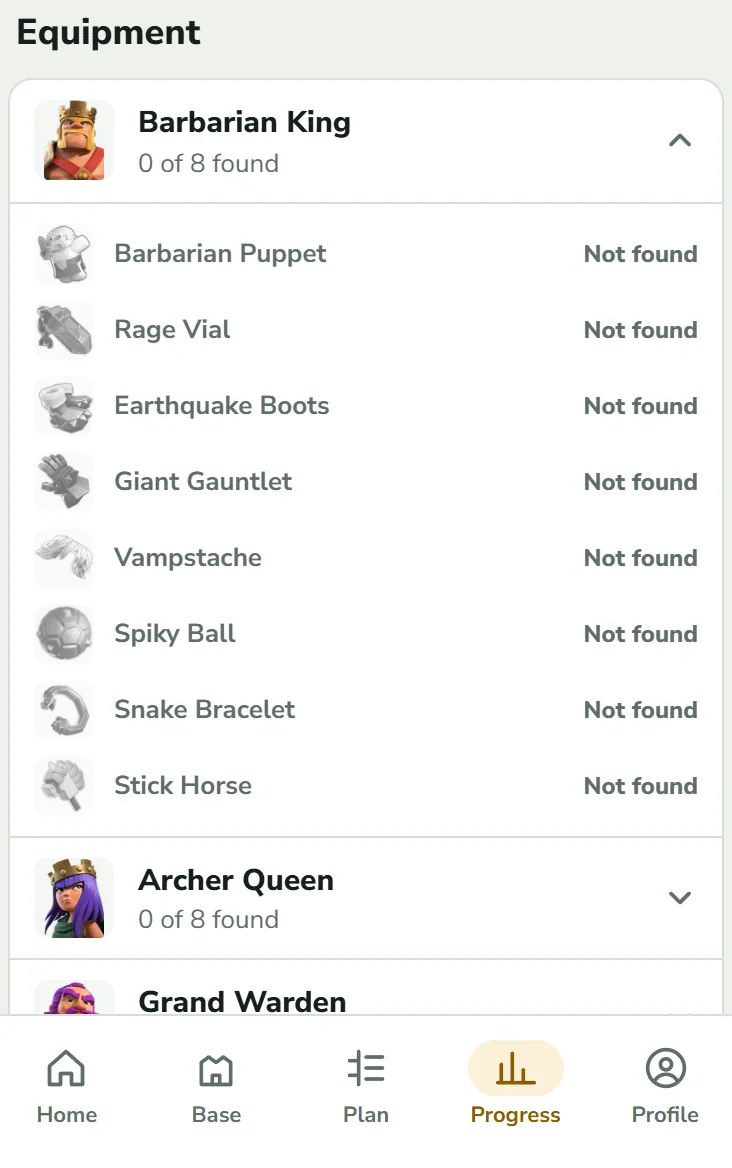
Under the road, the Equipment section lists every hero with its pieces. Equipment is paid in ore, needs no builder and takes no time, so it never appears in the plan and adds no builder days. Beside the heading you see the ore your found pieces still need to reach the highest level your Town Hall allows. Each hero's row shows N of M found, its two biggest ore amounts and, once you have found a piece, a bar and a percentage over the pieces you own. Tap a hero for its pieces: Level 12 · max 18 with the ore cost, max when done, and Not found in grey for the rest. Found pieces count in the percentages above; pieces you have not found do not.
The ore calculator
The Ore calculator prices any piece from any level to any level. Open it from the row of that name under Equipment, from the foot of Home, or go to /stats/ore. Its back link reads Progress. A switch at the top chooses where the pieces come from. It opens on My village if you have found any piece, otherwise on Custom.
My village: change the targets
Each piece you have found shows its current level and a Target level menu, preset to the highest level your Town Hall allows. The menu lists every level up to the piece's own top, marks your hall's limit as Max for TH 15, and marks the top as max. Pieces you have not found sit under Not found, set to Not planned until you pick a target; they are priced from level 1, where a new piece starts. Reset targets appears after your first change.
Custom: build a list
Custom starts empty (“Add a piece to see what it costs.”). Pick equipment + opens the Equipment sheet: the game's pieces with a Common or Epic tag, yours first. Tick the ones you plan to upgrade and tap Add n. Each starts where your village has it and aims at your hall's limit. Add Common + and Add Epic + add a row for a kind without naming a piece. Each row has Current level and Target level menus and Remove.
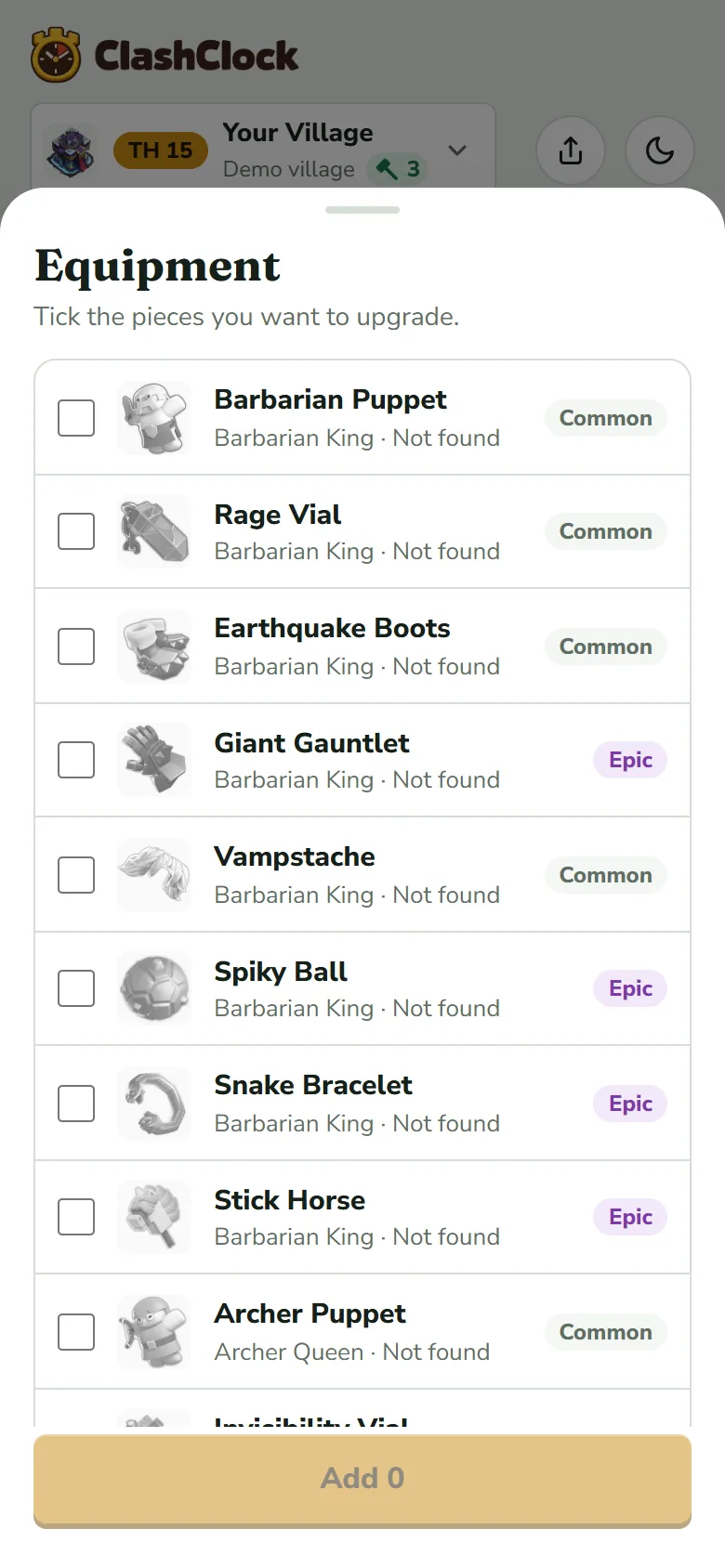
The picker. Add 0 stays faded until you tick a piece. Read Ore needed
The card at the top stays in view while you edit. Its three numbers are Shiny Ore, Glowy Ore and Starry Ore, in the order of the blue crystal, the purple stone and the gold star. Each row repeats the ores it needs, leaving out the ones it does not.
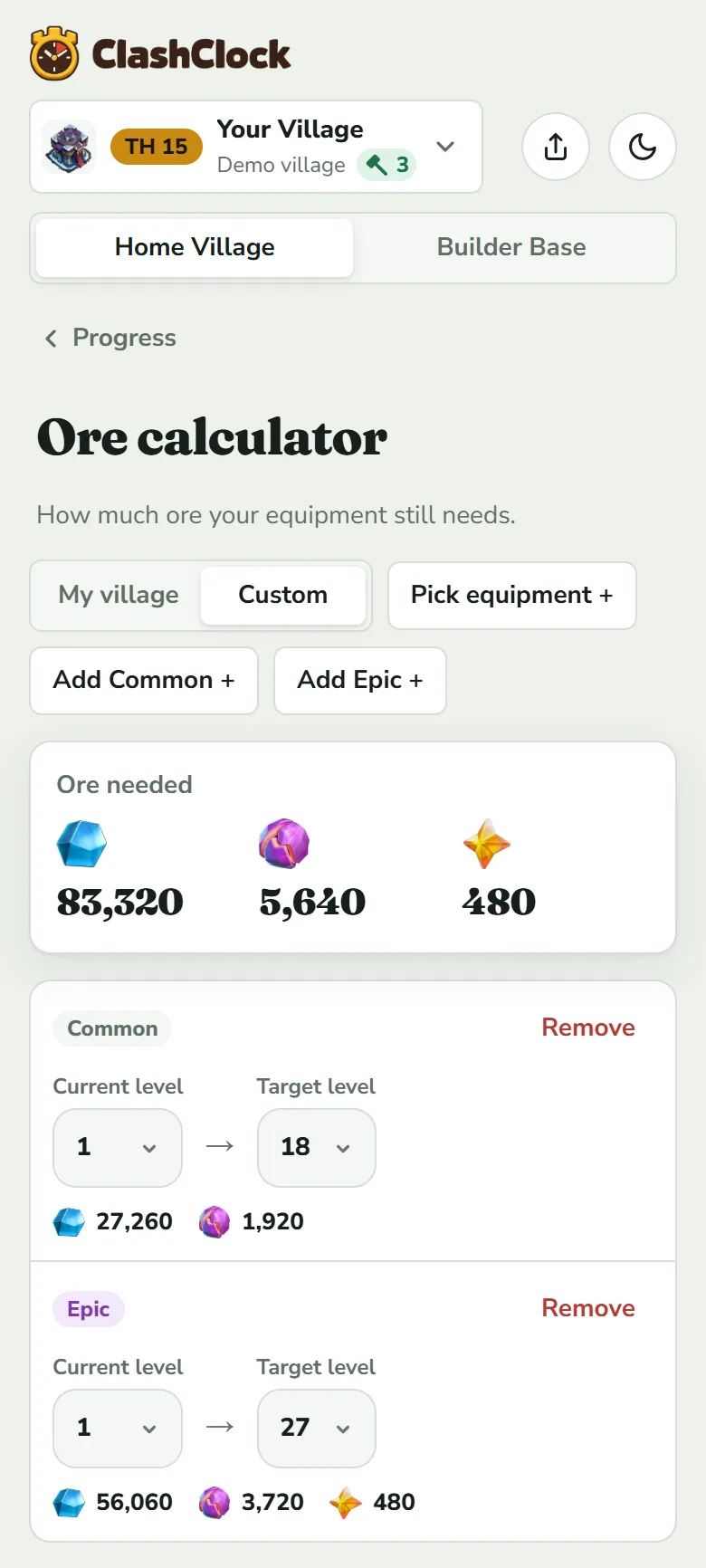
A Common and an Epic row, level 1 to the top. The totals above the rows add the two.
A kind row without a named piece is priced on the longest ladder of its kind: a Common piece goes to level 18 and an Epic to level 27, as in the picture. All Common pieces share one price table and all Epic ones another, so a named piece costs the same as its kind from the same level (ore for every hero and every Town Hall).
What the calculator cannot know: how much ore you hold, how fast you collect it, or when a piece will drop. It adds up the ore between two levels and stops there. It does not turn ore into days, and it does not touch the plan.
Open the calculator and add a Common and an Epic piece to see the two price tables.
Open the ore calculatorCommon questions
Why is the big number so much lower than my hall's?
They measure against different ceilings. TH 15 is 89 % done counts against what TH 15 allows. 65 % of a maxed TH 18 counts against TH 18, which has more plots, higher levels and buildings you do not have yet. The big number only reaches 100 % at the top of the road.
Why does a hall below mine show less than Max?
Because levels are open there. Rushing leaves lower halls unfinished: the Town Hall went up before the rest caught up. The leftovers are real work and sit in your hall's day counts too, since levels above the old ceiling cannot be skipped.
Why do the days not match the Plan tab's dates?
The days are the game's upgrade times added up. The Plan tab's dates also use your builders, your offline hours, the Gold Pass, helpers, potions and events, and they wait for prerequisites. Use the days to size the work and the Plan tab for dates (The Plan tab).
Why is there no maxed date?
The date needs the planner to place every upgrade up to the newest hall. Until it can, you see the percentages and the day counts without it. On the Builder Base the same rule applies.
Next, see how the Gold Pass, potions and magic items shorten the times these days are made of.
Gold Pass, potions and magic itemsTry it on your own village
Paste your village export and everything in this guide works on your own builders, timers and plan. It is free, needs no account and runs in the browser.
Useful? Help keep ClashClock running.
ClashClock is built and run by one person. Support on Ko-fi pays for the hosting, the database and the reminders it sends.